Custom puzzles
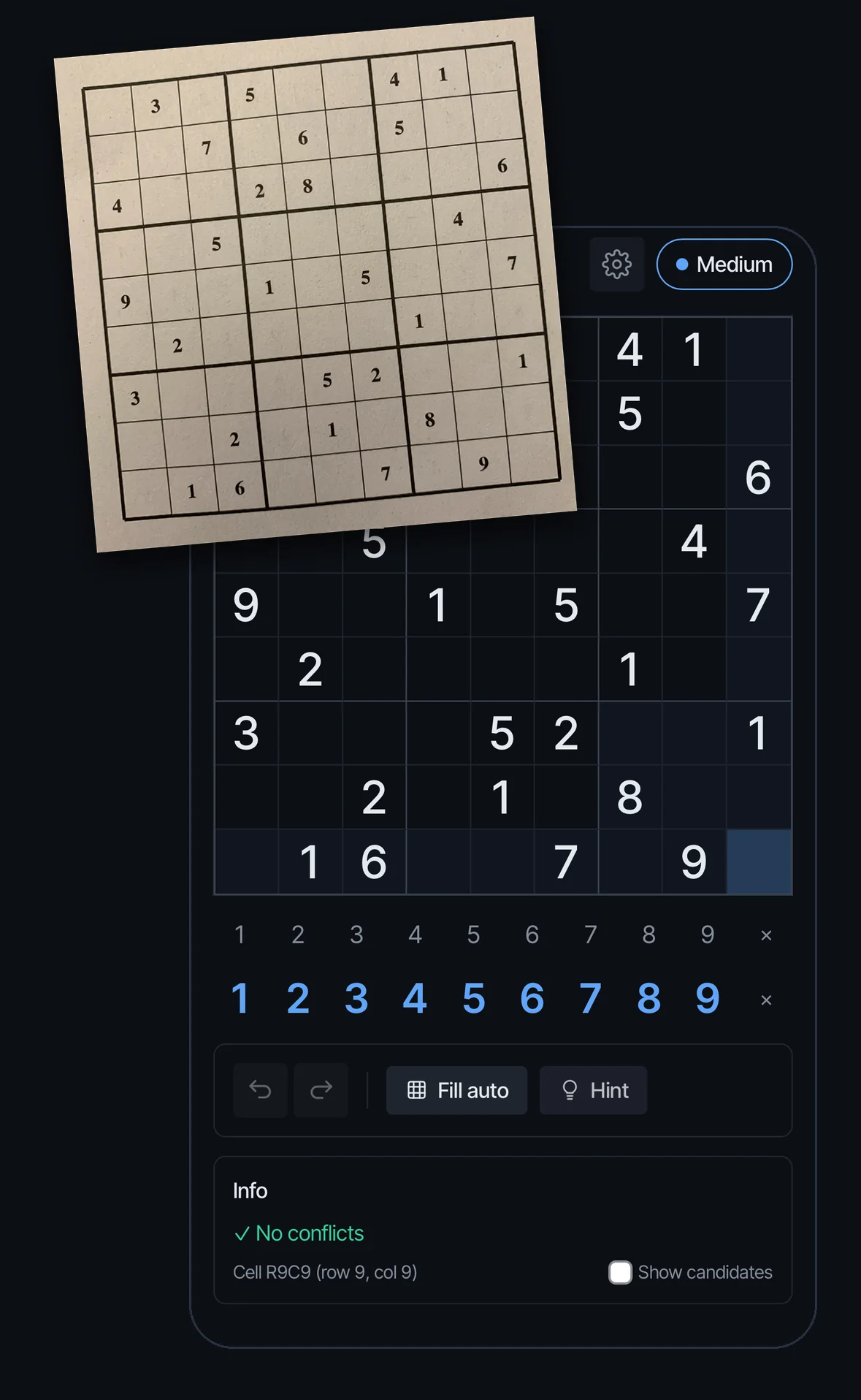
Type in a puzzle from a magazine, a book or another app, and use every Grid9 tool on it: notes, Fill auto, the hint ladder and the technique explanations.
Premium. Entering your own puzzle is a Premium feature. Everything you do on it afterwards works exactly as on a built-in puzzle.
Step 1 Premium
When it is useful
The common case is being stuck on a paper puzzle with nowhere else to turn. It is also a good way to practise a specific position, to find out where you went wrong in a half-finished grid, or to see which techniques a puzzle from another source really needs.
Step 2
Start entering
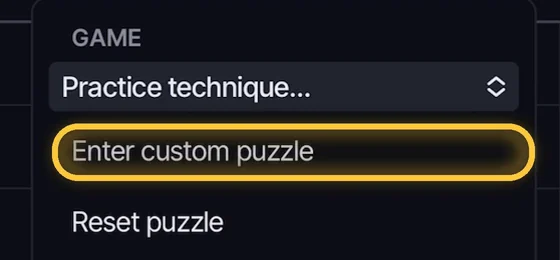
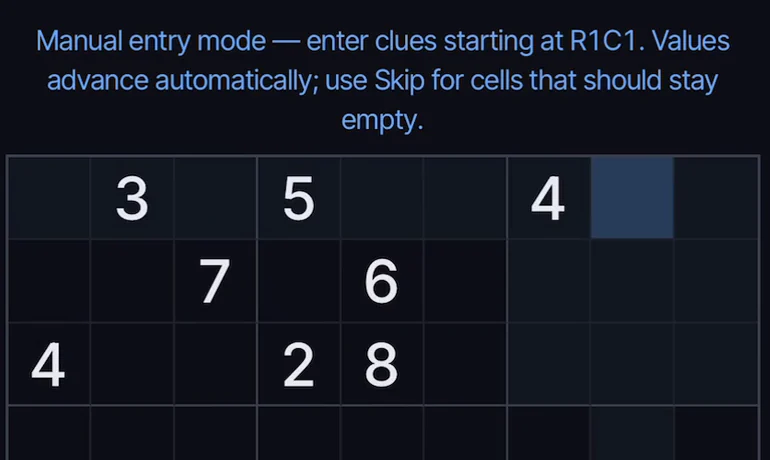
Open the gear menu and choose Enter custom puzzle. The board is cleared, the cursor starts in the top-left cell (R1C1), and a line above the grid reminds you that you are in manual entry mode.
Fill in the given numbers with the number pad, starting at R1C1. After each number the cursor moves on to the next cell by itself, so you can read the puzzle row by row.
Step 3
Skip the empty cells
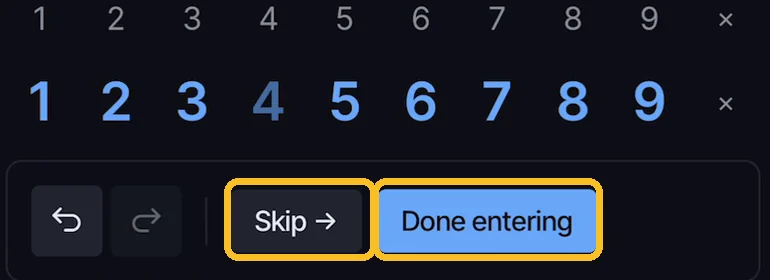
Where the puzzle has an empty cell, press Skip to move on without entering anything. Skip and Done entering take the place of the Fill auto and Hint buttons while you are entering, since candidates and hints mean nothing until the puzzle is complete.
Step 4 Premium
Done entering: the puzzle is checked
When all the givens are in, press Done entering. Before it lets you start, Grid9 checks two things:
- No conflicts. If the same number appears twice in a row, column or box, the app lists the cells that clash and you stay in entry mode to fix them.
- Exactly one solution. A proper sudoku has one and only one solution. If your grid has none, or more than one, the app says so and does not start.
The solution is needed so that hints, Check against solution and the mistake count all work. A typo is very often caught by one of these two checks. Not always, though: if a wrong digit happens to produce another valid puzzle, the app cannot know. So compare against the original once before you start.
Step 5 Premium
Solve it like any other puzzle
After the check the numbers you entered are the puzzle’s givens and the grid is a normal puzzle. Use your own notes or Fill auto, ask the hint panel what is available and climb the ladder as far as you like. See the Solving routine for the way I do it.
Mistakes are counted against the solution the app found, as in any other puzzle.
Note
Good to know
- Entering a new puzzle replaces the one you are on.
- Reset puzzle in the gear menu takes you back to the numbers you entered, so you can try a different route.
← App features All guides Statistics →
Try it yourself
Entering your own puzzle is part of Grid9 Premium, with a free trial for new subscribers.
Coming soon to the App Store